
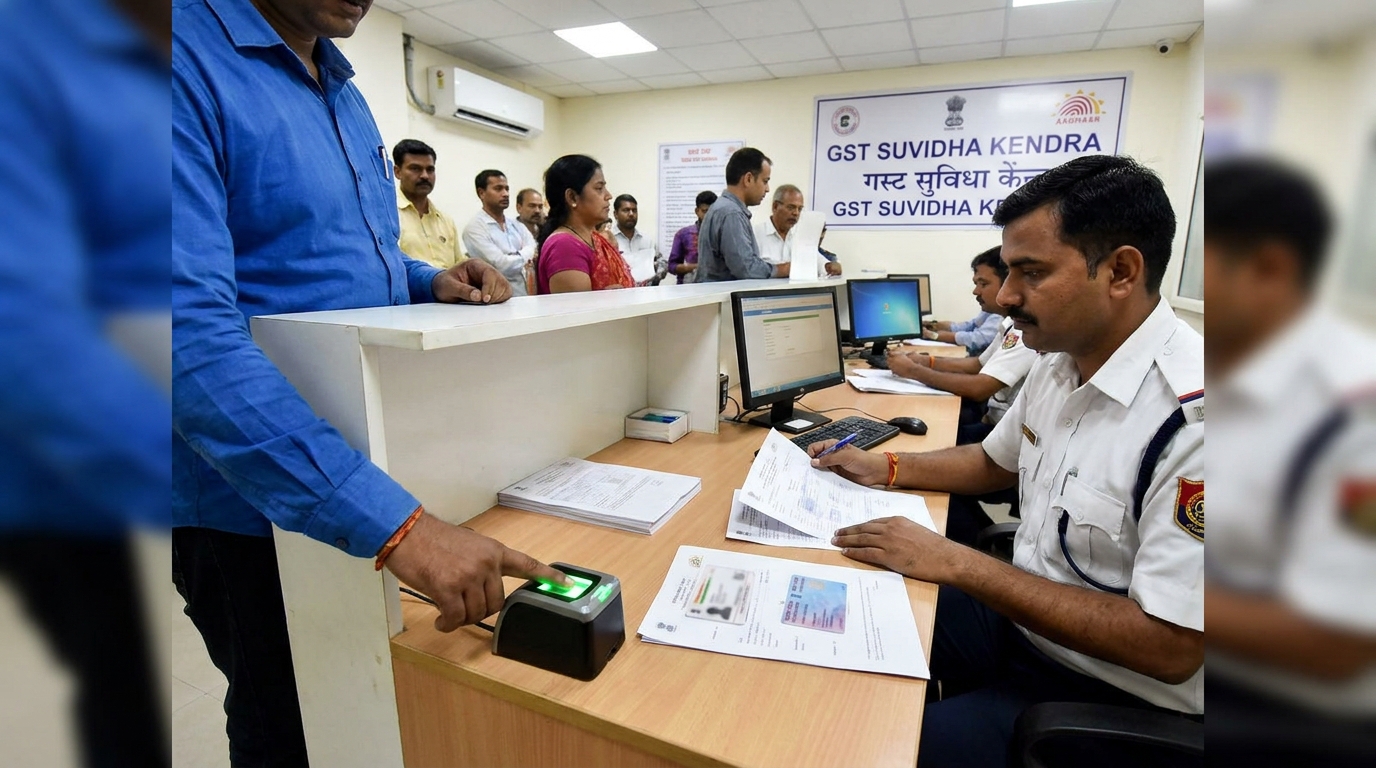
TL;DR: Biometric Aadhaar authentication is a physical, in-person verification step that the GST system triggers for certain applications flagged as higher risk, not for every applicant. If selected, the primary authorised signatory must visit a GST Suvidha Kendra with Aadhaar, PAN, and the appointment intimation for fingerprint and photo capture before the GSTIN is approved. Planning for this extra step, and getting documents right the first time, avoids repeat visits and registration delays.
If you have applied for GST registration recently and suddenly got a message asking you to visit a GST Suvidha Kendra for biometric verification, you are probably wondering if you did something wrong. You didn’t. Biometric authentication for GST registration is a physical verification step the government introduced to catch fake or fraudulent registrations before a GSTIN is issued, and it is only triggered for applications the system flags as risky.
This confuses a lot of applicants because most people expect GST registration to be a fully online process completed with an OTP sent to their Aadhaar-linked mobile number. For a growing share of applications, that is no longer the final step. This article is for founders, accountants, and authorised signatories who have received a biometric verification prompt, or who want to know what to expect before they apply, so nobody is caught off guard mid-application.
What Is Biometric Aadhaar Authentication for GST Registration?
Biometric authentication is an in-person identity verification step where the applicant or authorised signatory visits a designated GST Suvidha Kendra to have their fingerprints and photograph captured. It also verifies the original copy of documents that were uploaded by the Applicant during the application process. It was introduced to replace OTP-only verification for applications flagged as high-risk, reducing fraudulent GST registrations used for fake invoicing and input tax credit scams. It happens after document submission but before the GSTIN is issued.
Key insight: The GST Network introduced biometric-based Aadhaar authentication as part of a risk-based approach to registration, targeting applications where data mismatches or fraud indicators are detected, rather than applying it universally to all applicants.
Why This Step Exists
Fake GST registrations have been a persistent problem, used mainly to generate bogus invoices and claim input tax credit that was never actually earned. Tax authorities have detected thousands of crores worth of fraudulent ITC claims tied to shell entities registered using stolen or fabricated identity documents. Biometric verification adds a physical checkpoint that is much harder to fake than an OTP sent to a phone.
For legitimate businesses, this means slightly more friction during registration. For the tax system, it means fewer bogus GSTINs entering circulation. Understanding why the check exists makes it easier to plan for rather than resent it.
When Is Biometric Authentication Triggered?
This is the part most applicants get wrong: biometric authentication is not applied to every GST application. It is selectively triggered by the GST system based on risk-scoring parameters that are not fully public. Common triggers include:
- Data mismatches between Aadhaar details and PAN or business address records
- High-risk business categories or sectors flagged more frequently for fraud
- Applicant history including previous cancelled or suspended GSTINs linked to the same PAN or address
- Random risk-based sampling as part of the system’s fraud-detection algorithm
- Address anomalies, such as registration addresses used by multiple unrelated entities
If your application is not flagged, you complete Aadhaar authentication the standard way, through an OTP sent to the mobile number linked to your Aadhaar. There is no way to know in advance with certainty whether you will be selected. The safest approach is to prepare documents properly regardless, so that if biometric verification is triggered, you are not scrambling.
Pro Tip: Keep scanned and original physical copies of Aadhaar, PAN, and proof of business address ready before you even submit your GST application. If biometric verification gets triggered, you will not lose time gathering paperwork after the fact.
Biometric vs OTP-Based Authentication: The Key Difference
It is worth being clear about how these two verification paths differ, since they are often confused.
AspectOTP-based authenticationBiometric authenticationWhere it happensFully online, at home or officeIn person at a GST Suvidha KendraTriggerDefault path for most applicationsSystem-flagged, risk-based selectionTime requiredMinutesA dedicated appointment, plus travelWhat’s verifiedMobile OTP linked to AadhaarFingerprint, live photo, physical documentsWho completes itApplicant, remotelyAuthorised signatory, physically present
If your application is not flagged, you will never see the biometric step at all. It only enters the picture when the system decides additional physical verification is needed.
What Happens at the GST Suvidha Kendra Appointment
Once biometric verification is triggered, the GST portal generates an intimation with a reference number and a list of GST Suvidha Kendras (GSKs) available in your area. The applicant then books a slot, usually within a set number of days of the intimation being issued.
At the appointment, the process generally follows these steps:
- Document verification: The GSK official checks original Aadhaar and PAN cards against the details submitted in the application.
- Photograph capture: A live photograph is taken on site, matched against the Aadhaar photo.
- Fingerprint scan: Fingerprints are captured using a biometric scanner and cross-checked against Aadhaar records through UIDAI’s database.
- Acknowledgement: Once verification succeeds, the GSK issues an acknowledgement, and the application moves forward in the GST system for final processing.
The entire in-person portion of this usually takes between 15 and 30 minutes, assuming documents match and there are no queue delays. Mismatches or missing documents can push this into a second visit, which is the single biggest reason registrations get delayed at this stage.
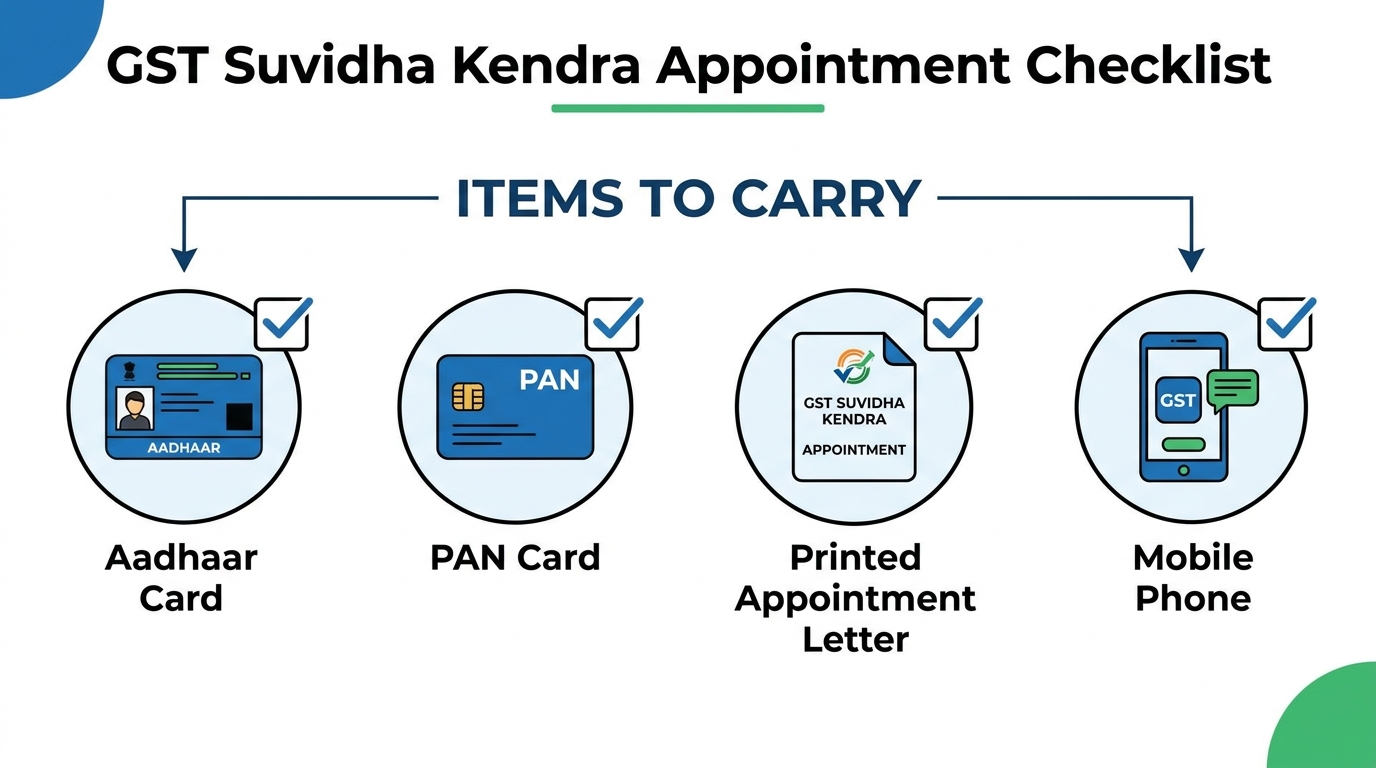
What to Carry to the GSK
Do not go to your appointment without these:
- Original Aadhaar card (not a photocopy) for the person being verified
- Original PAN card for the same individual
- Appointment intimation printed or accessible on a phone, with the reference number
- Business-related documents if requested, such as proof of address or incorporation certificate, depending on what the GSK asks for
- A working mobile number linked to Aadhaar, in case additional OTP confirmation is needed during the visit
Who Must Appear in Person
This is a common point of confusion. It is not open to just any employee or representative. The person required to appear is the primary authorised signatory or promoter named in the GST registration application, the individual whose Aadhaar is being authenticated. A hired consultant, junior staff member, or unrelated third party cannot stand in for this step, since the entire point is to verify the identity of the person legally responsible for the business’s tax compliance.
For partnerships or companies with multiple partners or directors, typically the one designated as the primary authorised signatory in the application needs to complete this step, though requirements can vary slightly based on entity structure.
Home State GSK Facility for Certain Companies
For applicants whose Constitution of Business (COB) is Public Limited Company, Private Limited Company, Foreign Company, or Unlimited Company, the GST portal provides an additional convenience for the Promoter/Director (PP) selected for biometric authentication. Instead of visiting the jurisdictional GST Suvidha Kendra (GSK), such Promoter/Director may complete biometric authentication at a GSK located in their home state by using the “Home State GSK Selection for Promoter/Director” functionality available on the GST portal. This relaxation is available only for the Promoter/Partner (PP) and not for the Primary Authorised Signatory (PAS). Consequently, where the same individual has been designated as both the Promoter/Partner and the Primary Authorised Signatory, the home-state GSK option is not available, and biometric authentication must be completed at the jurisdictional GSK. Further, where the Promoter/Partner is an Indian resident (i.e., the citizen parameter is marked as “Yes”) but has declared a residential address outside India, the individual is also required to visit the jurisdictional GSK, and the home-state GSK facility cannot be availed.
State Rollout: Check Before You Assume
Biometric authentication for GST registration was not switched on everywhere at once. It rolled out in phases, starting with a handful of states as a pilot before expanding further. As of now, it is live in most states and union territories, but coverage is not universal, and rollout timelines have differed by region.
Before you apply, it is worth checking whether your state currently requires biometric authentication for new registrations, since this directly affects how you should plan your registration timeline. If your state is covered, build in extra days. If it is not yet live, you will likely complete the standard OTP-based path instead.
Time Impact: Plan Around It, Not Against It
This is the practical detail that trips up most applicants: biometric verification adds real time to the registration process. Where OTP-based authentication can complete in minutes, biometric verification depends on GSK appointment availability, which can add anywhere from a few days to over a week depending on your city and how booked the nearest GSK is.
A realistic way to plan:
- Allow 3 to 7 additional days if biometric verification gets triggered, on top of standard processing time
- Book the GSK appointment as soon as the intimation is issued, rather than waiting
- Avoid scheduling business launches, vendor contracts, or bank account openings that depend on the GSTIN until after biometric verification is confirmed complete
- Keep a buffer in your business timeline for the possibility of a second visit if something is missing
Key insight: Applications requiring biometric verification typically take noticeably longer to reach GSTIN issuance compared to standard OTP-verified applications, largely due to appointment scheduling and slot availability at GSKs.
Common Mistakes Applicants Make
Assuming biometric verification applies to everyone. Many applicants panic when they see the requirement, assuming they did something wrong. It is a risk-based trigger, not a universal rule.
Sending someone other than the authorised signatory. The GSK will not accept verification from a representative who is not the named signatory or promoter on the application. This results in a wasted trip and a rescheduled appointment.
Carrying photocopies instead of originals. Original Aadhaar and PAN cards are required for physical verification at the counter. Photocopies alone typically are not accepted.
Not booking the GSK slot promptly. Appointment intimations often come with a limited validity window. Delaying the booking can push the entire registration timeline back further than necessary.
Missing supporting business documents. If the GSK requests proof of business address or other supporting paperwork on the spot and it is not available, the visit has to be repeated.
Frequently Asked Questions
Who needs biometric authentication for GST registration? Only applicants whose applications are flagged by the GST system’s risk-based screening need biometric authentication. Common triggers include data mismatches, high-risk business categories, or prior GSTIN cancellations linked to the same PAN. Most applicants still complete verification through standard OTP authentication.
What documents do I take to the GST Suvidha Kendra? Carry your original Aadhaar card, original PAN card, and the printed or digital appointment intimation with its reference number. Some GSKs may also ask for business address proof or incorporation documents, so it helps to bring those along as well.
How long does biometric GST verification take? The in-person appointment itself usually takes 15 to 30 minutes if documents match correctly. The overall delay depends on GSK slot availability, which can add 3 to 7 days or more to your total registration timeline compared to OTP-based verification.
Can someone else complete biometric authentication on my behalf? No, the primary authorised signatory or promoter named in the GST application must appear in person. The verification is tied to that specific individual’s Aadhaar and fingerprints, so a representative or consultant cannot substitute for them.
What happens if I skip the biometric appointment? Your GST registration application will not move forward and the GSTIN will not be issued until biometric verification is completed. The application typically stays pending or may eventually be rejected if the appointment window lapses without action.
Conclusion
Biometric authentication for GST registration is not a trap or a universal requirement, it is a selective, risk-based check the GST system uses to stop fraudulent registrations before they happen. If your application gets flagged, the process is manageable: know what triggers it, book your GST Suvidha Kendra appointment promptly, bring original Aadhaar and PAN documents, and make sure the correct authorised signatory shows up in person. Building a few extra days into your registration timeline for this step means it never turns into a surprise setback.