
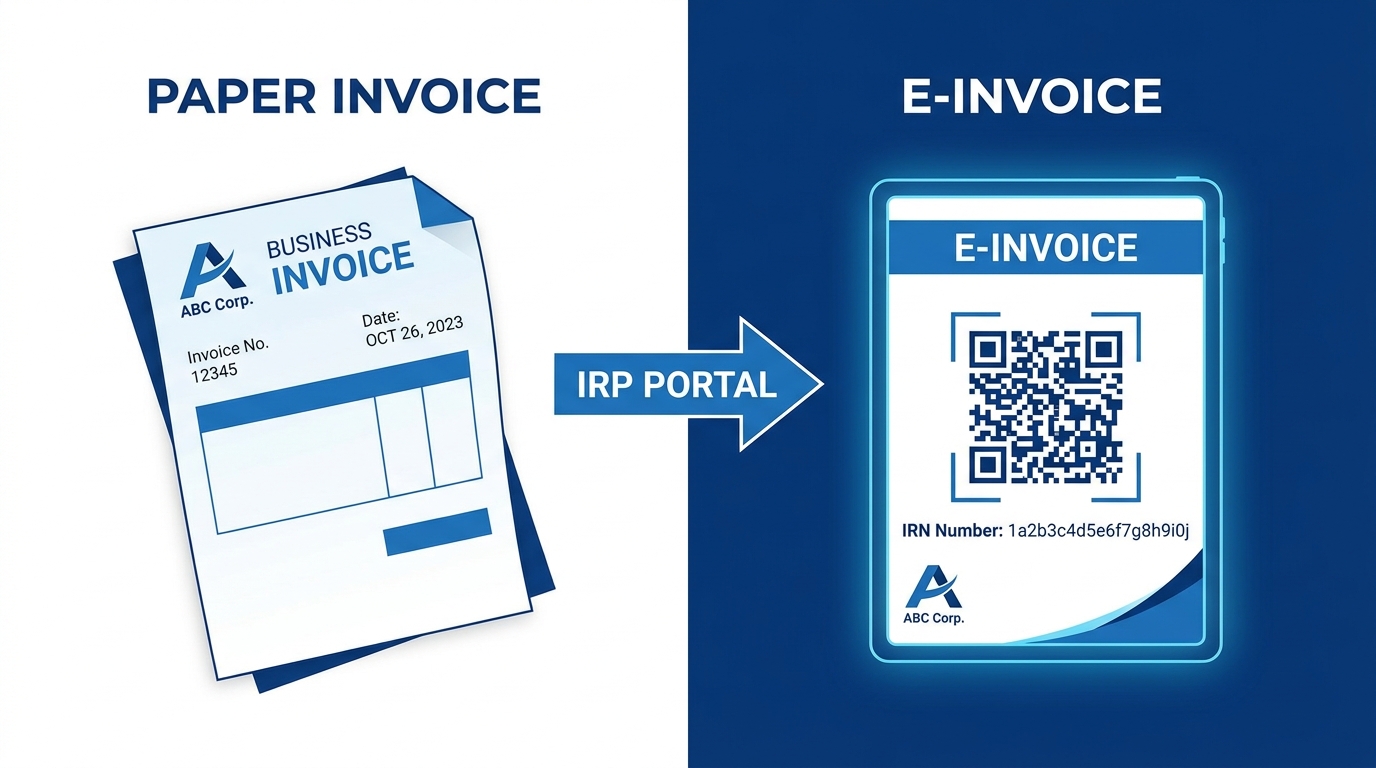
TL;DR: E-invoicing is mandatory for businesses with annual aggregate turnover above ₹5 crore - in any financial year since 2017-18. Every B2B invoice must get an IRN (Invoice Reference Number) from the government’s Invoice Registration Portal before it reaches the customer. Banking, NBFCs, insurance companies, SEZ units, GTA, suppliers of passenger transport services and cinema complexes have specific exemptions, and cancellation is only allowed within 24 hours of IRN generation.
Who This Guide Is For
If your business crossed ₹5 crore in aggregate annual turnover in any financial year from 2017-18 onward, e-invoicing compliance in India applies to you right now, not from next year. This guide is for accountants, finance managers, and business owners who need to know exactly who must comply, how to set up the Invoice Registration Portal (IRP), and how to fix the most common e-invoice mistakes before they turn into GST notices.
E-invoicing is mandatory for businesses with annual aggregate turnover above ₹5 crore. Every invoice must be registered on the Invoice Registration Portal and an IRN generated before the invoice is sent to the customer. Skip this step and the invoice has no legal validity under GST law, which means no input tax credit for your buyer and possible penalties for you.
What Is E-Invoicing Under GST?
E-invoicing is the process of electronically authenticating B2B invoices through a government portal called the Invoice Registration Portal (IRP). Each invoice gets a unique Invoice Reference Number (IRN) and a QR code before it is issued to the buyer. This system, rolled out in phases since October 2020, replaces manual invoice reporting and reduces GST fraud through real-time validation.
Current Threshold: ₹5 Crore Turnover
The e-invoicing threshold as of August 2023 is ₹5 crore in aggregate annual turnover, down from the earlier ₹10 crore limit set in October 2022.
Here is the key detail businesses often miss: the threshold applies if you crossed ₹5 crore turnover in any preceding financial year since 2017-18, not just the most recent one. So if your turnover was ₹6 crore in FY 2018-19 but has since dropped to ₹3 crore, you are still required to generate e-invoices today.
Key insight: Aggregate turnover is calculated using your PAN across all GSTINs, not per registration. A business with three GST registrations under one PAN, each doing ₹2 crore, crosses the ₹5 crore threshold on a combined basis.
| Financial Year Threshold Changed | Turnover Limit | Effective Date |
|---|---|---|
| Phase 1 | Above ₹500 crore | October 1, 2020 |
| Phase 2 | Above ₹100 crore | January 1, 2021 |
| Phase 3 | Above ₹50 crore | April 1, 2021 |
| Phase 4 | Above ₹20 crore | April 1, 2022 |
| Phase 5 | Above ₹10 crore | October 1, 2022 |
| Phase 6 (current) | Above ₹5 crore | August 1, 2023 |
Who Is Exempt From E-Invoicing
Even if your turnover crosses ₹5 crore, certain categories are exempt from mandatory e-invoice generation:
- Banking companies and financial institutions including banks and NBFCs
- Insurance companies
- Goods Transport Agencies (GTAs) transporting goods by road
- Passenger transport service providers
- SEZ units (note: this exemption applies to SEZ units, not SEZ developers, and only for SEZ-related supplies)
- Suppliers of services by way of admission to exhibition of cinematograph films in multiplex screens
Pro Tip: Even if you qualify for an exemption, keep documented proof of your exempt status (RBI registration, IRDAI license, SEZ approval letter). GST officers may ask you to justify why e-invoices were not generated during an audit.
How to Set Up the IRP: Step-by-Step
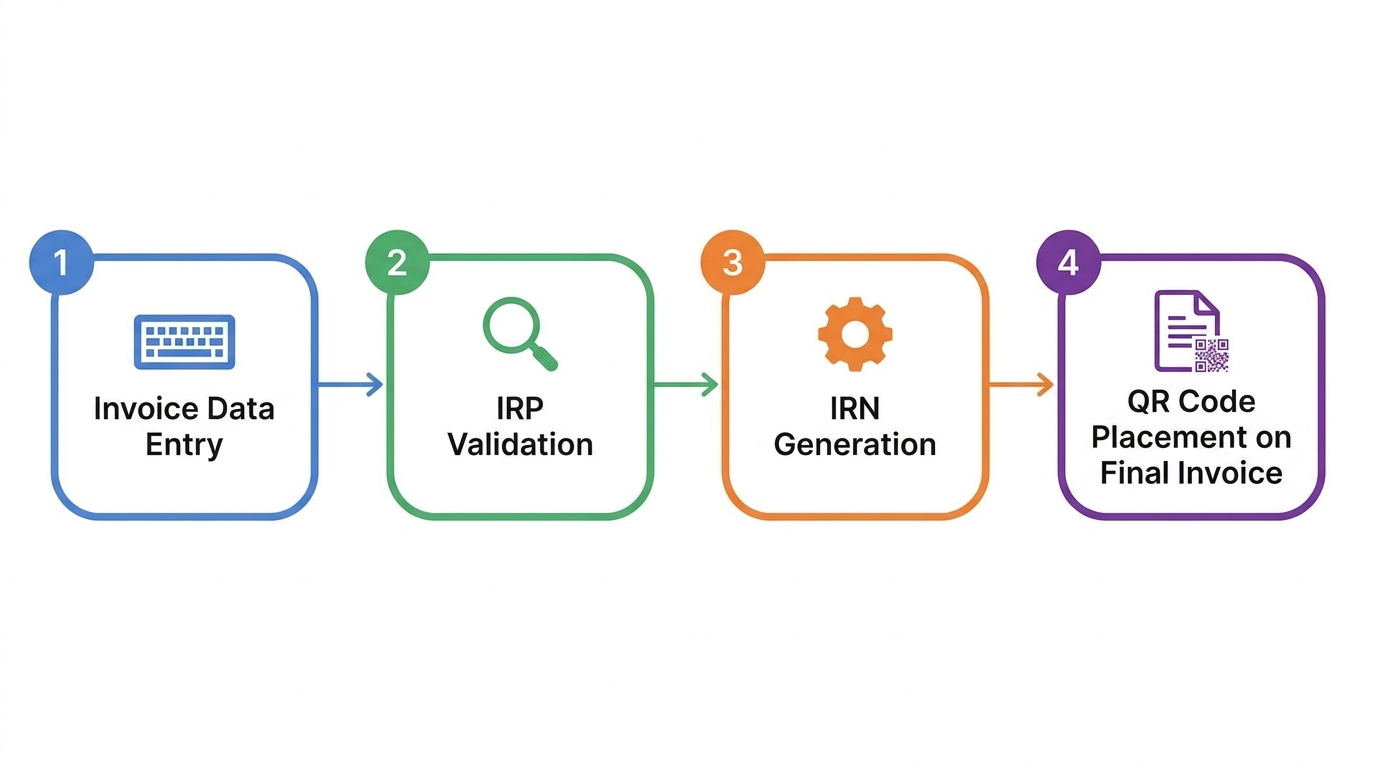
Setting up e-invoicing compliance in India requires a one-time registration and then a repeatable invoice generation process.
Step 1: Register on the E-Invoice Portal
Go to einvoice1.gst.gov.in and register using your GSTIN. If you already use the e-way bill portal, your login credentials usually carry over. First-time users need to verify their GSTIN, mobile number, and email through an OTP-based process.
Step 2: Choose Your Generation Method
You have three practical options:
- Direct portal entry - manually input invoice details on the IRP website (works for low-volume businesses)
- Accounting software API integration - most ERP and accounting tools (Tally, Zoho Books, SAP) connect directly to the IRP via API for automatic IRN generation
- GST Suvidha Provider (GSP) - third-party middleware for businesses with custom billing systems
Step 3: Generate the IRN
Once invoice data is submitted (seller GSTIN, buyer GSTIN, invoice number, date, value, HSN codes, tax amounts), the IRP validates it and returns a unique IRN along with a digitally signed QR code.
Step 4: Add the QR Code to the Invoice
The QR code and IRN must appear on the invoice copy given to the buyer. Without this, the invoice is treated as invalid under GST rules, and your buyer cannot claim input tax credit on it.
Common E-Invoice Errors and How to Fix Them Fast
Most e-invoicing compliance problems in India fall into three categories. Here is what causes them and how to correct them within the tight compliance window.
Error 1: Wrong GSTIN on the Invoice
What happens: The seller or buyer GSTIN entered doesn’t match GST records, causing IRN generation to fail or generating an IRN against the wrong party.
Fix: If caught before sending the invoice, cancel the IRN and regenerate with the correct GSTIN. If already sent, you cannot edit the IRN. Instead, issue a credit note against the wrong invoice and raise a fresh, correct invoice with a new IRN.
Error 2: Invoice Date vs IRN Date Mismatch
What happens: The invoice is dated one day but submitted to the IRP on a later date, creating a mismatch that can flag your GSTR-1 filing for scrutiny.
Fix: Always generate the IRN on the same day the invoice is created. If your billing software allows backdating, disable that feature for e-invoice-eligible transactions to avoid this error entirely.
Error 3: Missed the 24-Hour Cancellation Window
What happens: An e-invoice is generated with an error, but the business tries to cancel it after 24 hours have passed, which the portal does not allow.
Fix: Within 24 hours, go to the IRP, select the IRN, and cancel it directly, then reissue the correct invoice. After 24 hours, cancellation is not possible on the portal. Your only route is to issue a credit note or debit note referencing the original invoice to correct the error in your books.
Key insight: According to GST Network guidelines, once 24 hours pass, the IRN remains valid in the system even if you consider the invoice a mistake. This makes internal review before submission critical for high-volume invoicing teams.
Table: Error Type vs Correction Method
| Error Type | Can You Cancel? | Correction Method |
|---|---|---|
| Wrong GSTIN, caught within 24 hrs | Yes | Cancel IRN, regenerate correctly |
| Wrong GSTIN, caught after 24 hrs | No | Issue credit note + new invoice |
| Date mismatch | Depends on timing | Cancel if within 24 hrs, else credit note |
| Wrong invoice value | Depends on timing | Cancel if within 24 hrs, else debit/credit note |
| Duplicate IRN generated | Yes, if within 24 hrs | Cancel duplicate, keep original |
Frequently Asked Questions
Who needs to generate e-invoices in India? Any business with aggregate annual turnover above ₹5 crore in any financial year since 2017-18 must generate e-invoices for B2B transactions. This applies across all GSTINs held under the same PAN, calculated on a combined basis, not per registration.
What is IRN in e-invoicing? IRN stands for Invoice Reference Number, a unique 64-character identifier generated by the Invoice Registration Portal for each valid invoice. It is created using a hash algorithm based on the seller’s GSTIN, invoice number, and financial year, and confirms the invoice has been officially registered.
How do I generate an e-invoice? Register your GSTIN on einvoice1.gst.gov.in, then submit invoice details either manually through the portal or automatically via your accounting software’s API integration. The IRP validates the data and returns an IRN with a QR code that must be printed on the invoice.
Can I cancel an e-invoice after generation? Yes, but only within 24 hours of generating the IRN. After 24 hours, the portal does not allow cancellation, and you must correct the error by issuing a credit note or debit note referencing the original invoice instead.
What is the penalty for not generating e-invoices? Under GST rules, an invoice without a valid IRN is treated as not issued, which can attract a penalty of 100% of the tax due or ₹10,000, whichever is higher, per invoice. Your buyer also loses eligibility to claim input tax credit on that invoice.
Conclusion
E-invoicing compliance in India is no longer optional for businesses above the ₹5 crore turnover mark, and the rules are stricter than many finance teams realize, especially around the 24-hour cancellation window and GSTIN accuracy. Getting your IRP setup right the first time, whether through direct portal use or API integration with your accounting software, saves you from credit notes, buyer disputes, and potential penalties down the line.